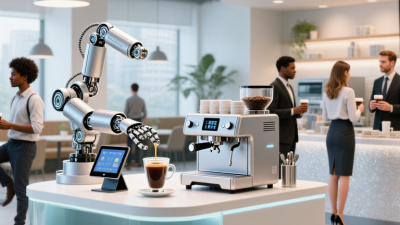
How to Start a Fully Automated Coffee Shop?

Starting a Fully Automated Coffee Shop sounds like a robotics project. In practice, it is a tightly designed service system. The National Coffee Association’s Spring 2024 National Coffee Data Trends report found that 67% of American adults drank coffee the previous day. Demand is broad, but convenience alone will not secure repeat visits. Your concept must make ordering, payment, brewing, pickup, and customer support feel dependable.

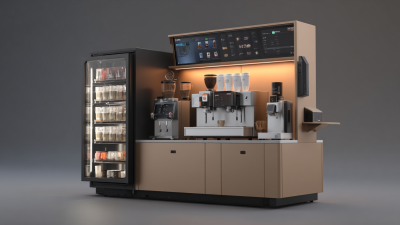
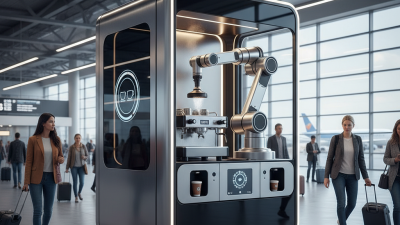
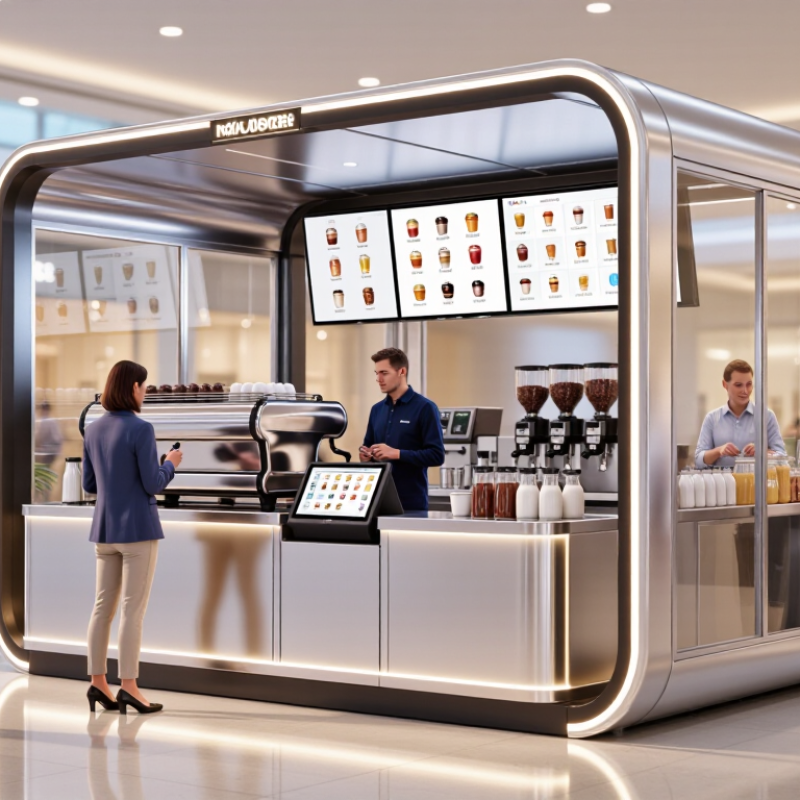
A practical launch begins with a small footprint, such as a mall kiosk or office-lobby unit. Customers scan a menu, choose milk and temperature, pay digitally, and watch a machine prepare the drink behind glass. Sensors should track water quality, bean levels, temperature, waste, and inventory. Remote alerts can flag a blocked grinder before the morning rush. Yet “fully automated” does not mean human-free. Staff still need to clean food-contact surfaces, refill ingredients, inspect equipment, and handle exceptions. Local health, accessibility, fire, electrical, and employment requirements must shape the design from day one. The International Coffee Organization’s coffee market reporting also highlights price and supply volatility, so fixed recipes need flexible purchasing plans.

This guide examines equipment, workflow, software, site selection, staffing, maintenance, and unit economics. It also questions optimistic assumptions. Automation may reduce repetitive labor, but it can increase downtime, training needs, and repair costs. A beautiful robotic counter is not a business model. Start with measurable tests: service time, beverage accuracy, repeat orders, cleaning hours, and waste per cup. Then improve what customers actually notice.
How to Start a Fully Automated Coffee Shop?

Define the Fully Automated Coffee Shop Concept and Operating Goals

How to Start a Fully Automated Coffee Shop?

Define the Fully Automated Coffee Shop Concept and Operating Goals

A fully automated coffee shop should begin with a precise operating definition. Automation may cover ordering, payment, brewing, inventory alerts, cleaning reminders, and remote monitoring. It does not remove every human responsibility. Staff may still handle maintenance, quality checks, and unexpected customer problems.

Demand supports careful planning. The National Coffee Association’s Spring 2024 report found that 67% of American adults drank coffee in the past day. The International Coffee Organization reported global coffee consumption near 177 million 60-kilogram bags in 2022/23. These figures show opportunity, but they do not guarantee local demand. A shop near offices needs speed at 8:00 a.m. A residential location may need longer evening service.

Set measurable goals before buying equipment. Target a two-minute drink cycle, 98% system uptime, and less than 2% order errors. Track ingredient waste, repeat purchases, cleaning time, and customer complaints. Use a small menu first. Ten reliable drinks may outperform thirty inconsistent choices. I have seen automation plans fail because owners measured transactions, not recovery time.

Tips: Test the complete customer journey with real users. Watch them order, wait, collect, and request help. Keep one visible contact method. Prepare a manual backup for payment, brewing, and refrigeration. Review the data weekly, but question it monthly. Machines report numbers. Customers reveal meaning.

Assess the Market, Location, Budget, and Legal Requirements

Starting a fully automated coffee shop begins with evidence, not enthusiasm. Study commuter patterns, nearby offices, schools, and weekend activity. Count pedestrians at several times, including quiet hours. A location can look busy yet produce weak morning sales. Interview potential customers about price, waiting time, and preferred drinks. Test demand with a small pop-up or temporary kiosk when possible. My first forecast was too optimistic because I ignored rainy days and seasonal changes.

Location affects both customer access and operating costs. Check visibility, public transport, parking, delivery access, water supply, drainage, and electrical capacity. Automation still needs reliable maintenance access. A compact site may reduce rent but restrict equipment and storage. Prepare a budget covering equipment, construction, software, rent, utilities, insurance, cleaning, repairs, and payment fees. Add a realistic contingency reserve. Machines fail.

Legal research must match the exact city and business model. Confirm zoning approval, business registration, food-service permits, sanitation rules, fire safety, accessibility, and electrical inspections. Ask the local authority for written requirements, rather than relying on online comments. Payment systems may also involve privacy and cybersecurity duties. If workers handle cleaning or support, follow applicable employment and safety regulations. Consult a qualified lawyer, accountant, and food-safety professional before signing a lease. Recheck every permit date. A missed renewal can stop operations unexpectedly.

Choose Automated Equipment, Software, and Coffee Service Systems

How to Start a Fully Automated Coffee Shop?

Choose Automated Equipment, Software, and Coffee Service Systems

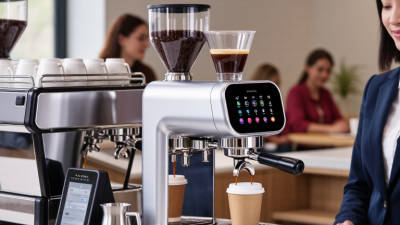
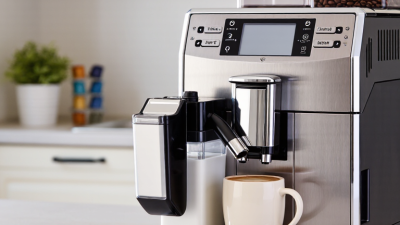
A fully automated coffee shop begins with a service map, not a machine purchase. Define opening hours, expected orders per hour, drink sizes, and payment methods. Automated espresso equipment should control dosing, temperature, grinding, milk delivery, and cleaning alerts. Choose equipment with accessible parts and documented maintenance procedures. At a busy morning rush, a clogged milk line can stop every order. That detail matters. Before opening, test twenty consecutive drinks and record taste, temperature, preparation time, and waste.

The software layer connects ordering screens, payment processing, inventory, recipes, and equipment status. Use dashboards that show failed payments, low ingredients, temperature warnings, and unusual delays. Set clear access permissions, encrypted connections, regular updates, and daily data backups. Keep a manual order option available. Automation should reduce friction, not remove accountability. A technician should review alarms remotely and visit on a fixed schedule. Do not trust a green status icon alone. Check the physical result.

Coffee service systems need a simple customer path: select, pay, collect, and report a problem. Display pickup instructions near the collection shelf, with readable timing estimates. Provide clear ingredient and allergen information. A small service kiosk or staffed support window can handle refunds, accessibility needs, and equipment failures. Review sales and waste every week. Early forecasts are often wrong. A shop may need fewer menu choices than expected, or more staff during sudden demand. Keep adjusting the workflow after observing real customers, not just simulated tests.

Design the Store Workflow, Customer Experience, and Safety Controls

A fully automated coffee shop should begin with a visible, testable workflow. The National Coffee Association reported that 67% of American adults drank coffee in the past day in 2024. That demand rewards speed, but speed cannot replace control. Customers should scan, customize, pay, and receive a numbered drink from one clear queue. Keep the interface simple. Too many options create hesitation and errors.

Behind the counter, separate ordering, brewing, pickup, cleaning, and waste routes. Use sensors to monitor water, milk, cup supply, and machine temperature. The FDA Food Code 2022 recommends cold holding at 41°F (5°C) or below and hot holding at 135°F (57°C) or above. Automated alerts should pause sales when readings become unsafe. Staff still need access for inspection, refilling, and sanitation. I would not automate every decision. A human override is essential when a sensor fails, a spill occurs, or a customer reports an allergy concern.

Customer experience also depends on honest recovery. PwC’s Future of Customer Experience report found that 32% of customers may leave after one poor experience. Display preparation status, provide clear pickup instructions, and show a refund path without forcing customers to search. Add guarded moving parts, non-slip flooring, emergency stop controls, and camera-free privacy by design. Test the workflow during a morning rush. It may fail. That failure is useful, if the system records what happened and improves the next version.

Launch, Monitor, and Improve the Automated Coffee Shop Operations

Launching an automated coffee shop starts with a narrow, measurable service design. The National Coffee Association reported that 67% of American adults drank coffee the previous day in 2024. Demand exists, but convenience alone will not protect margins. Map each step, from QR ordering to cup collection. Use calibrated grinders, fixed recipes, temperature sensors, and payment monitoring. Keep one trained employee available for refills, cleaning, and unusual orders. Full automation sounds efficient. It is not always resilient.

During the launch week, record preparation time, machine errors, queue abandonment, waste, and repeat purchases. A remote dashboard should show milk temperature, bean weight, water pressure, and ingredient levels. Set alerts before a machine stops serving customers. The International Coffee Organization projected global coffee consumption at about 177.9 million 60-kilogram bags for 2023/24, showing a large market, but not guaranteed local loyalty. Review performance every evening. Compare forecasted demand with actual cup sales. My imperfect view is that operators often trust dashboards too quickly. A clean chart can still hide poor coffee.

Tips: Start with a limited menu. Test every recipe at opening, midday, and closing. Place a visible cleaning checklist beside the service station. Inspect the first ten drinks manually each morning. If complaints rise, pause automation and check calibration before changing prices. Track failed payments separately from technical failures. Ask customers one simple question: “Was anything unclear?” Small answers often reveal larger design problems.

How to Start a Fully Automated Coffee Shop? - Launch, Monitor, and Improve the Automated Coffee Shop Operations

Automated Coffee Shop Launch, Monitoring, and Improvement Dashboard

Operational Stage Data Dimension Key Metric Target / Standard Current Result Review Frequency Improvement Action
Pre-Launch Site capacity Expected daily transactions 150–250 orders/day 200 orders/day forecast Before launch Validate demand using local footfall, trading hours, and nearby-office occupancy.
Automation coverage Automated order-to-pickup steps At least 90% 94% Before launch Remove manual handoffs that do not improve quality, safety, or customer service.
Equipment readiness Passed commissioning checks 100% 97% Daily during setup Resolve failed calibration, payment, refrigeration, and cleaning checks before opening.
Menu engineering Menu items suitable for automated preparation 10–18 core items 14 items Weekly Prioritize repeatable recipes with limited ingredient variation and short preparation times.
Safety and compliance Completed food-safety and equipment procedures 100% documented 100% Before launch and monthly Maintain temperature logs, cleaning records, allergen controls, and emergency procedures.
Launch Customer throughput Orders completed per hour 25–40 orders/hour 31 orders/hour Hourly Adjust production batches and pickup capacity during peak periods.
Service speed Median order-to-pickup time Under 4 minutes 3.6 minutes Hourly and daily Identify bottlenecks by recipe, payment method, and time of day.
Order accuracy Correct orders delivered At least 98% 98.7% Daily Review error codes and retrain the ordering interface where confusion occurs.
System availability Operational uptime during trading hours At least 99% 99.2% Real time and daily Use automated alerts, backup connectivity, and documented restart procedures.
Waste control Ingredient waste as a percentage of usage Below 5% 4.3% Daily Match replenishment quantities to demand forecasts and record spoilage reasons.
Customer satisfaction Post-purchase rating At least 4.5/5 4.4/5 Weekly Prioritize complaints related to taste, temperature, waiting time, and payment reliability.
Opening-week conversion Purchases divided by identified visitors 18–25% 21% Daily Improve signage, menu clarity, queue design, and first-use instructions.
Monitor Revenue performance Average transaction value $5.50–$7.50 $6.40 Daily and weekly Use relevant add-ons and bundled options without slowing order preparation.
Peak demand Share of daily orders during peak hours Under 45% 42% Weekly Apply time-based preparation settings and encourage off-peak ordering.
Preventive maintenance Scheduled tasks completed on time At least 95% 93% Daily and monthly Escalate overdue tasks and keep critical replacement parts on site.
Stock availability Core ingredients available for sale At least 98% 97.8% Real time and daily Set reorder points from lead time, average usage, and demand variability.
Temperature control Cold-storage readings within safe limits 100% of readings 99.6% Continuous monitoring Quarantine affected stock and investigate sensor or refrigeration alerts immediately.
Energy consumption Electricity used per transaction Below 0.35 kWh 0.31 kWh Weekly Optimize standby schedules, refrigeration settings, and equipment operating windows.
Refund rate Refunded orders as a percentage of total orders Below 2% 1.6% Daily and weekly Separate product, payment, machine, and customer-choice causes before corrective action.
Remote intervention Issues resolved without on-site dispatch At least 70% 74% Weekly Expand remote diagnostics, fault-code guidance, and restart workflows.
Improve Recipe consistency Products passing taste and specification checks At least 95% 94.8% Daily and monthly Recalibrate dosing, extraction time, temperature, and cleaning intervals.
Repeat purchase Customers returning within 30 days At least 30% 28% Monthly Improve product consistency, convenience, digital receipts, and personalized offers.
Labor productivity Transactions per labor hour 30–45 transactions 37 transactions Weekly Align staff coverage with demand and assign people to replenishment, support, and quality checks.
Contribution margin Sales less direct product and transaction costs At least 60% 61.5% Monthly Review prices, portion sizes, waste, payment fees, and low-margin menu items.
Incident response Median time to acknowledge a critical alert Under 5 minutes 4.2 minutes Per incident Use severity-based alerts, on-call ownership, and clear escalation thresholds.
Continuous testing Operational experiments completed per month 2–4 tests/month 3 tests/month Monthly Test one variable at a time, compare results against a baseline, and retain only measurable improvements.
Dashboard rule: Track every metric with a timestamp, data source, responsible owner, target range, and corrective-action status.